Dashboard
Submissions
View, manage, export, and search through form submissions.
On this page
Viewing Submissions
The dashboard provides a unified view of all submissions across your forms, or filtered by individual form.
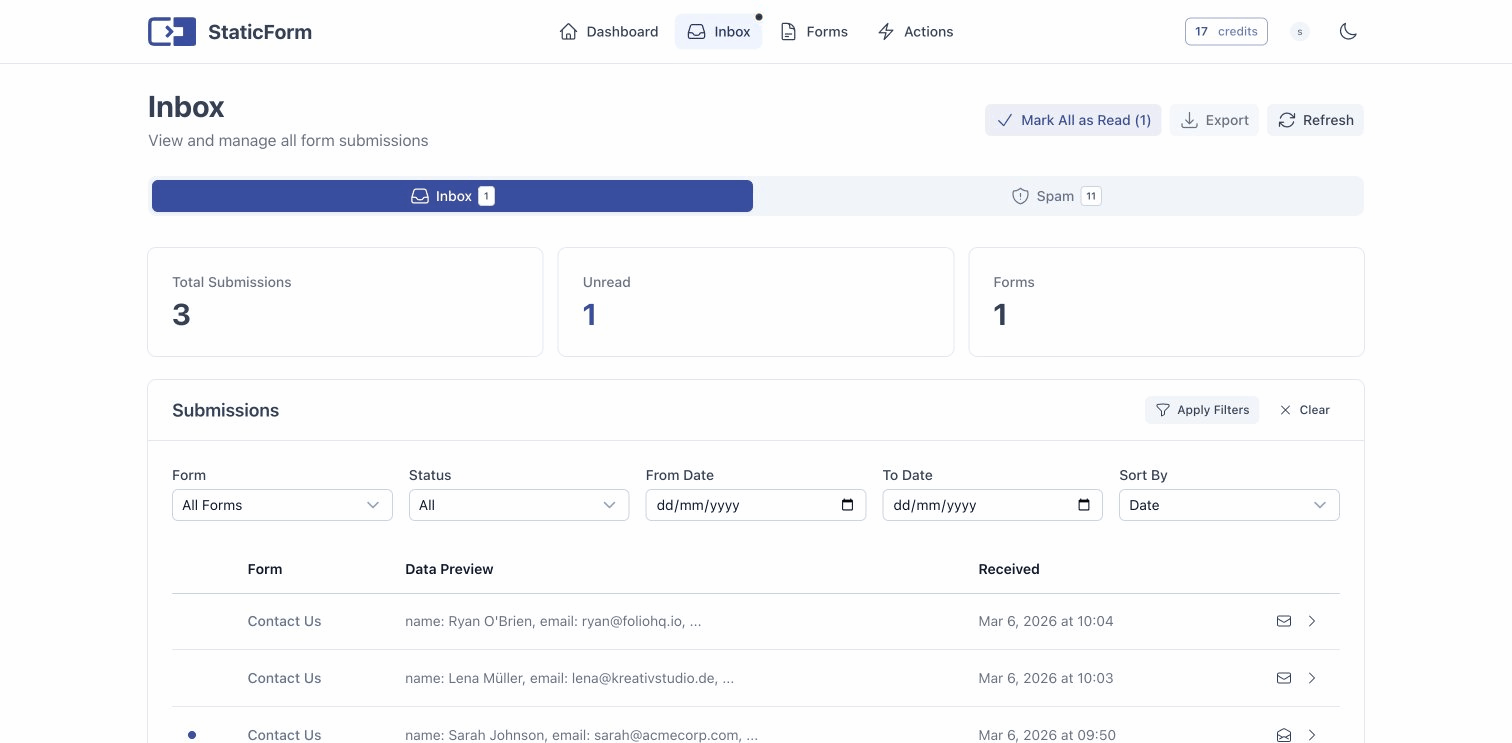
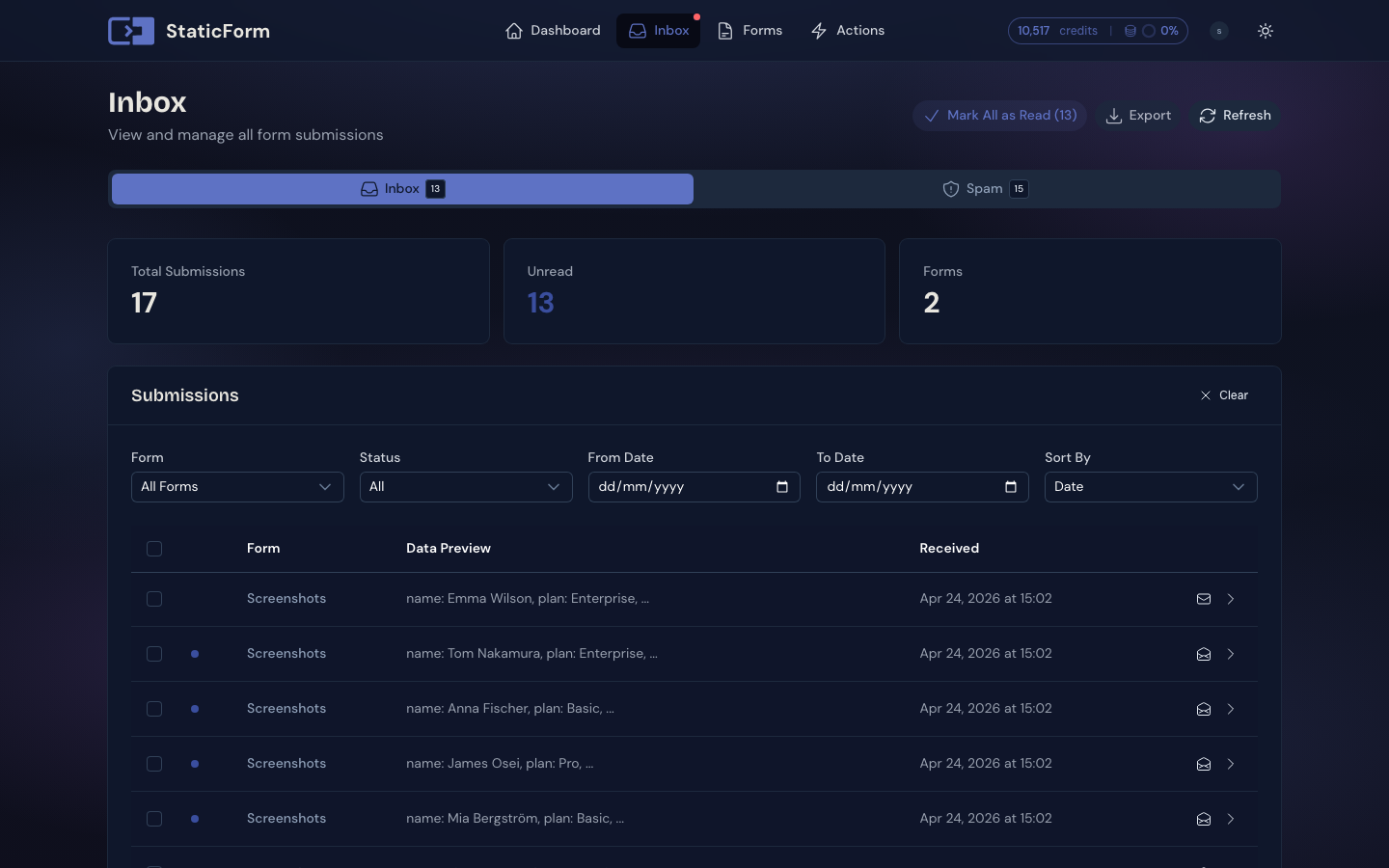
Each submission shows:
- Submitted field values
- Spam probability score and detection categories
- Timestamp
- Read/unread status
- Submit action execution results
Managing Submissions
Mark as Read
Mark individual submissions as read, or mark all submissions as read at once for the current view. This helps you track which submissions you’ve already reviewed.
Bulk Operations
Select multiple submissions at once using the checkboxes in the inbox list. With a selection active you can:
- Mark as read / unread: update the read status for all selected submissions in one action
- Delete: permanently remove all selected submissions
Spam Management
- Mark as Spam: override the automatic detection and flag a submission as spam
- Mark as Legitimate: override automatic detection for a false positive
- Spam Inbox: separate view (Postroom) for spam-flagged submissions, accessible from the navigation
Delete Submissions
Remove individual submissions from a form. This is permanent and cannot be undone.
Exporting Data
Exports are scoped to a single form, so you must first select the form whose submissions you want to export. Once selected, you can export submissions in two formats:
- CSV: spreadsheet-compatible format for analysis in Excel, Google Sheets, etc.
- JSON: machine-readable format for programmatic processing
File Downloads
If your form includes file upload fields, uploaded files can be downloaded from the submission detail view.
Action Execution Logs
For each submission, you can view the execution log of all submit actions (emails sent, webhooks triggered). If an action failed, you can retry it from the dashboard. See Execution Logs on the Submit Actions page for full details.