Form submissions.
Straight to Teams.
Post structured cards to any Teams channel the moment a form fires. You configure it from the channel settings in about two minutes, and it runs on every submission after that.
7-day free trial. No payment method required.
Sound familiar?
IT rules eat your form notifications before anyone sees them.
Enterprise inboxes are locked down. Email routing rules, spam filters, and security policies intercept your notifications before they reach the team that needs them.
The lead review happens in Teams. The leads arrive in email.
Meetings, approvals, and follow-ups all live in Teams channels. If form data doesn't land there automatically, someone has to manually copy it across, or it gets ignored.
Enterprise integrations usually mean an Azure resource group and a two-week SLA.
App registrations, service principals, admin consent, Azure Portal access. Just to post a message to a channel. Teams Incoming Webhooks skip all of that.
No Azure. No IT ticket. Two minutes.
Get the webhook URL
In Teams, go to the channel → Manage channel → Connectors → Incoming Webhook → Add. Copy the URL. No admin approval, no Azure access required.
Configure in StaticForm
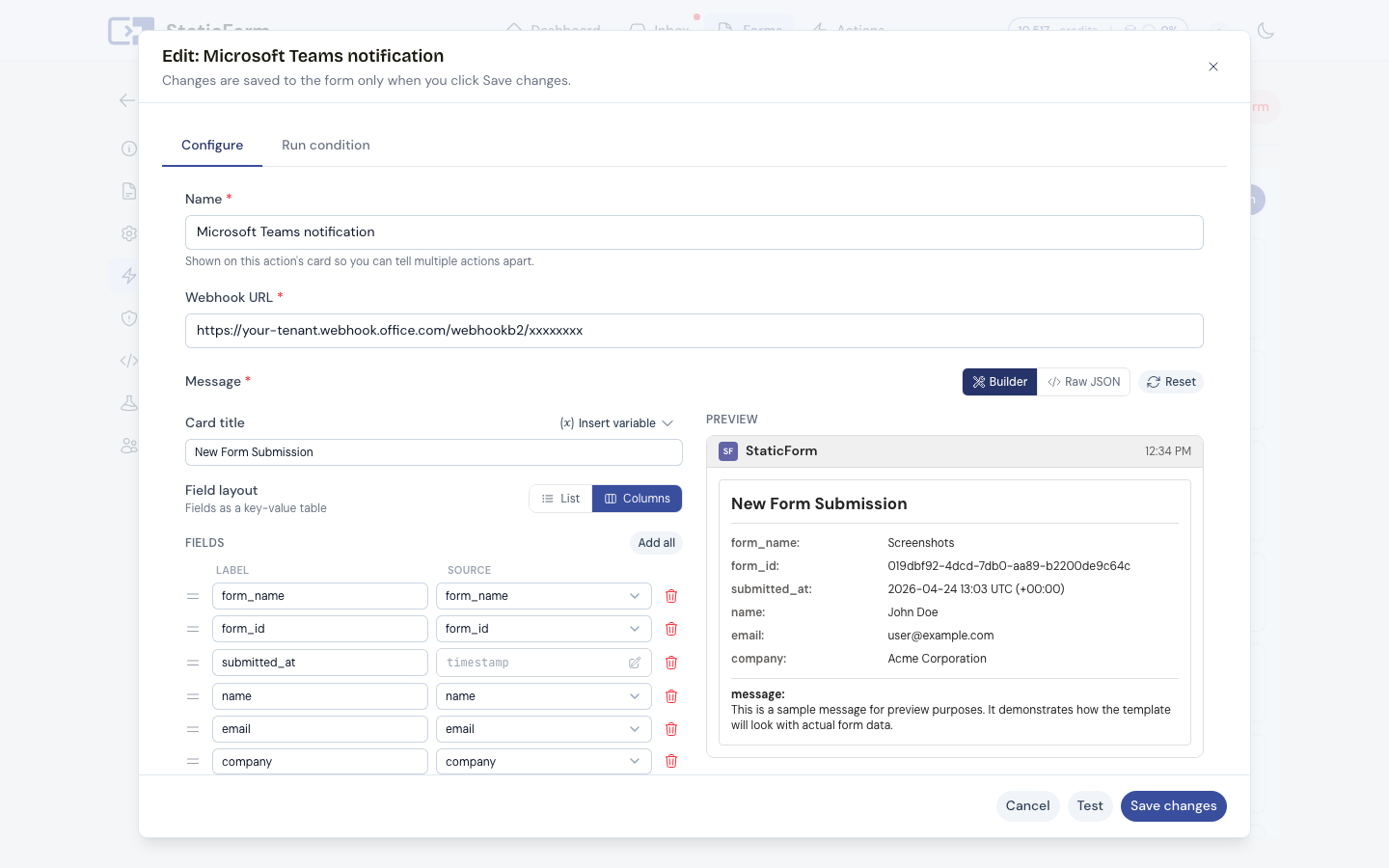
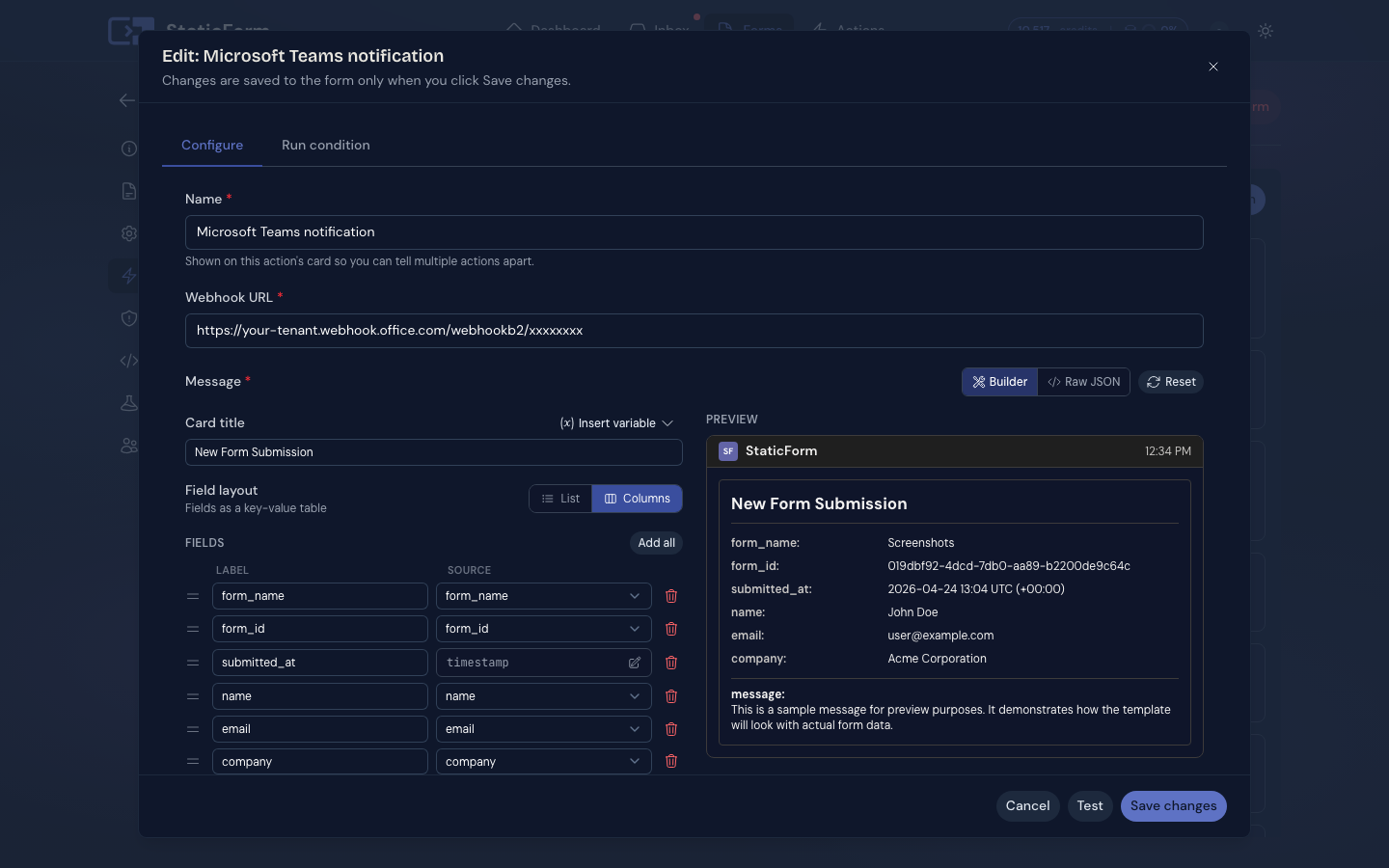
Paste the webhook URL, use the visual builder to choose which fields appear in the Teams card and how it's formatted. Preview before saving.
Submissions post as cards
Every non-spam submission fires a structured Adaptive Card to your Teams channel. The execution log records the webhook response.
Works right where enterprise teams already are.
Visual message builder
Same interface as Slack and Discord. Configure title, fields, and layout without writing JSON or reading the Teams webhook documentation.
Configured in channel settings
Teams Incoming Webhooks are a standard channel connector. You set it up yourself without touching Azure Portal or involving IT.
Structured Adaptive Card format
Messages arrive as clean, labeled cards, not raw text pastes. Field names and values are clearly separated so the team can act immediately.
Execution log per send
Every webhook call is logged with status. If the webhook URL rotates or the connector is removed, you see the error before it causes a missed lead.
Ready to get leads straight into your Teams channel?
Get started freeConfigure in the dashboard. Posts as an Adaptive Card.
StaticForm dashboard
Click to zoom
What posts to your channel
New Form Submission
Contact Form
2025-01-15 14:07
Submission Details
Sarah Chen
sarah@example.com
Acme Corp
message:
Interested in your pricing plans. Would love to book a demo.
Clean Adaptive Card with labeled fields. Execution log confirms delivery to Teams.
Also works with




get started
Your next real lead is
waiting to arrive.
Set up a form in 5 minutes. Spam blocked automatically. Every real submission stored, delivered, and logged.
Ready to get started?
Add forms to your site in minutes